


Offering
Solutions We Provide





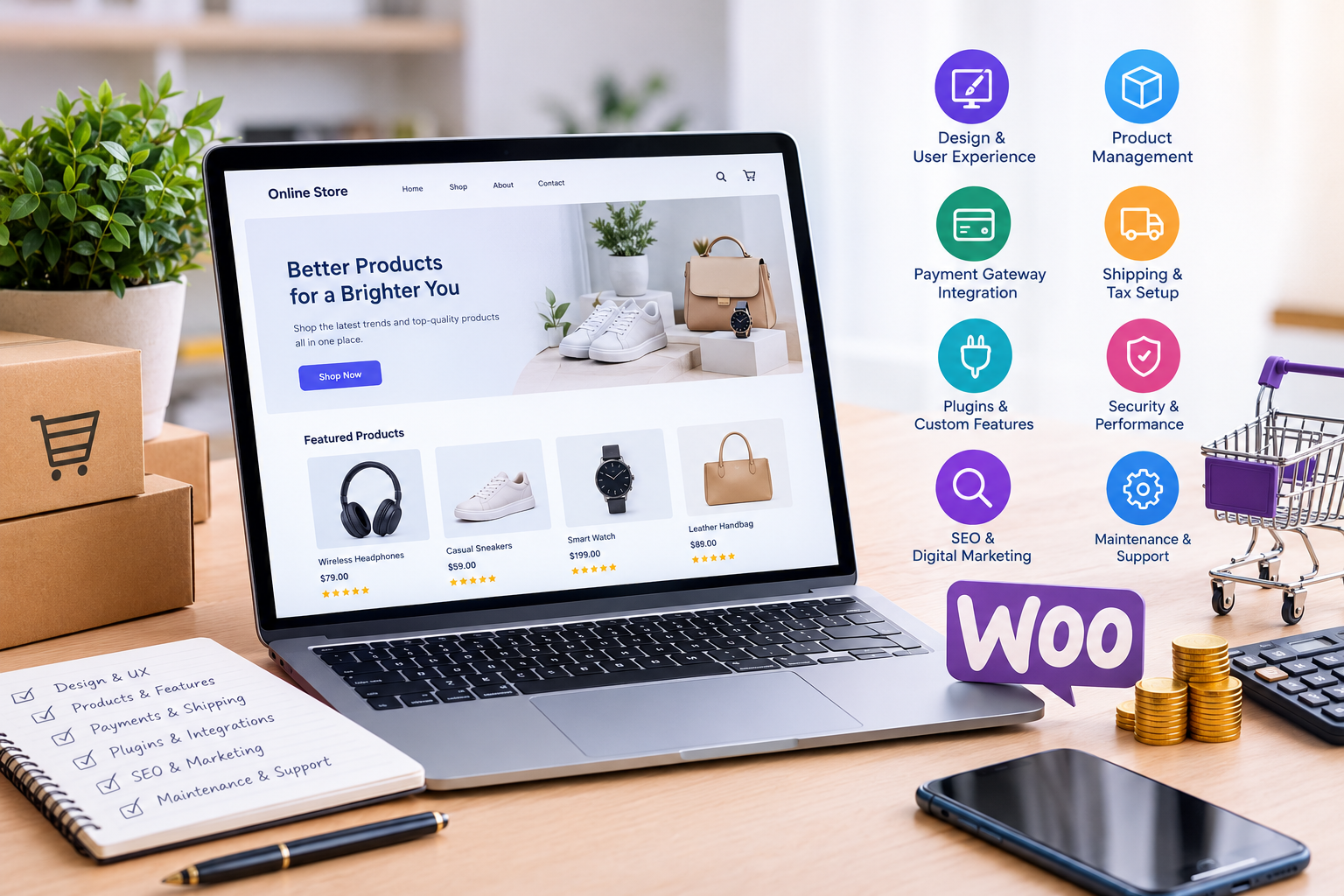

Building an online store with WooCommerce gives businesses the flexibility to sell products, manage orders, accept payments, and expand their ecommerce operations using WordPress. However, one of the first questions business owners ask before starting a project is: how much does WooCommerce website development cost?
The answer depends on several factors, including website design, store functionality, product volume, payment integrations, custom development, security requirements, and ongoing maintenance. A basic WooCommerce store can be relatively affordable, while a complex ecommerce platform with custom features may require a considerably larger investment.
Understanding these costs before starting a project helps businesses set a realistic budget, prioritize essential features, and avoid unexpected expenses. Whether you are launching your first online store or upgrading an existing ecommerce website, knowing what affects development pricing can help you make better decisions.
In this guide, we explain the major factors influencing WooCommerce website development costs, the common pricing models, ongoing expenses, and practical ways to build a store that supports long-term business growth.
How Much Does WooCommerce Website Development Cost?
WooCommerce is a free, open-source ecommerce plugin for WordPress. However, creating a professional online store involves more than installing the plugin. Businesses may need website hosting, a domain, a suitable theme, payment gateways, shipping integrations, custom functionality, and professional development services.
The total investment varies according to the project’s requirements, the developer’s experience, the location of the development team, and the complexity of the store.
The following figures are illustrative planning estimates rather than fixed market prices.
| WooCommerce Store Type | Estimated Development Cost (USD) | Suitable For |
|---|---|---|
| Basic store | $500–$2,000 | Startups and small businesses with straightforward requirements |
| Small business store | $2,000–$5,000 | Businesses needing professional design and standard integrations |
| Custom ecommerce store | $5,000–$15,000 | Growing brands requiring tailored features and workflows |
| Complex ecommerce platform | $15,000–$50,000+ | Larger businesses with advanced integrations and custom functionality |
These estimates generally refer to initial development and may exclude taxes, premium software subscriptions, extensive product data entry, and ongoing maintenance. Actual quotations can fall outside these ranges depending on scope and market conditions.
For an accurate estimate, businesses should define their requirements before requesting proposals from developers.
1. Website Design and User Experience
Website design is one of the most important factors affecting WooCommerce development costs. The design determines how customers browse products, evaluate options, navigate categories, and complete purchases.
A store built with a suitable pre-designed theme typically costs less than one requiring a completely custom interface.
Pre-designed themes
A pre-designed theme offers an existing layout that developers can customize with your brand colors, typography, product images, and content. This approach is often suitable for startups and businesses launching their first online store.
Although some themes are free, premium themes may involve a purchase or recurring licence fee.
Custom website design
Custom design is useful when a business needs a distinctive shopping experience, specialized product layouts, unique navigation, or carefully designed conversion paths.
The design process may include wireframes, prototypes, mobile layouts, user testing, and revisions. Each additional requirement can increase the project budget.
Responsive design is also essential because customers shop across mobile phones, tablets, and desktop computers. A professional store should provide a consistent experience on different screen sizes without making navigation or checkout difficult.
Businesses should prioritize usability, clear product information, and a straightforward checkout rather than investing in decorative elements that do not improve the shopping experience.
2. Number of Products and Product Complexity
The size and complexity of the product catalogue can significantly influence development time.
A store selling ten standard products is usually easier to configure than one containing thousands of products with multiple attributes, variations, pricing rules, and inventory requirements.
For example, a clothing store may need size and color variations, while an electronics retailer may require technical specifications, warranty information, compatibility options, and accessories.
Product-related costs may include:
- Creating product pages and category structures.
- Uploading product descriptions, images, and specifications.
- Configuring variable products and stock management.
- Importing products from spreadsheets or another ecommerce platform.
- Organizing filters, attributes, and search functionality.
- Setting up product bundles, subscriptions, or wholesale pricing.
Bulk product imports can reduce manual work when product data is properly structured. However, incomplete spreadsheets, inconsistent attributes, and poor-quality images may require additional preparation.
Before development begins, businesses should decide whether they will upload products themselves or need the development team to manage the catalogue.
3. Custom Features and Functionality
Standard WooCommerce features support many common ecommerce requirements, including product management, shopping carts, order processing, and basic store administration.
However, some businesses need functionality that goes beyond the default setup.
Examples include:
- Product configurators and personalized products.
- Memberships and subscription-based purchases.
- Customer-specific pricing and wholesale accounts.
- Advanced product filters and search.
- Loyalty programmes and reward points.
- Booking and appointment systems.
- Multi-vendor marketplace functionality.
- Custom dashboards and order workflows.
Each additional feature can require configuration, third-party extensions, custom coding, testing, and ongoing support.
For instance, a store selling personalized gifts may need customers to upload images, enter custom text, and preview their products before ordering. Implementing this workflow is more involved than selling standard products with fixed prices.
Businesses should separate essential launch features from enhancements that can be introduced later. This keeps the initial budget under control without preventing future expansion.
4. Payment Gateway Integration
Payment gateways allow customers to pay securely using supported payment methods. WooCommerce can work with a range of payment providers, but the correct setup depends on the business’s country, target markets, currencies, and transaction requirements.
Common payment options include credit and debit cards, digital wallets, bank transfers, and region-specific payment services.
Development costs may increase when a store requires:
- Multiple payment providers.
- Multi-currency checkout.
- Recurring billing or subscription payments.
- Payment authorization and capture workflows.
- Refund automation.
- Custom payment reporting.
- Integration with an existing accounting or financial system.
Payment providers may also charge transaction fees, monthly fees, or additional charges for certain services. These costs are separate from website development.
Security should be a priority during payment configuration. Businesses should use reputable payment providers, maintain secure website connections, and avoid unnecessarily storing sensitive payment information.
The right payment setup should make checkout convenient while supporting the company’s operational and compliance requirements.
5. Shipping, Delivery, and Tax Configuration
Shipping and tax settings can become complicated when a business sells products across multiple regions.
A local store with a single delivery method may require relatively little configuration. An international retailer might need different shipping zones, carrier integrations, delivery estimates, customs-related workflows, and region-specific tax settings.
Shipping functionality can include:
- Flat-rate and free shipping rules.
- Weight-based or dimensional shipping calculations.
- Real-time carrier rates.
- Local pickup and regional delivery.
- Shipment tracking notifications.
- Multiple warehouse or fulfilment locations.
- Automated shipping label generation.
Tax requirements also vary according to business location, customer location, product type, and applicable regulations.
Businesses should confirm their tax obligations with a qualified professional and configure their store accordingly. Automated tax tools can help with calculations, but using a tool does not automatically guarantee compliance.
When requesting a development quotation, explain your delivery regions, product dimensions, fulfilment process, and tax requirements. These details help developers estimate the actual workload.
6. Third-Party Plugins and Software Licences
Plugins extend WooCommerce with additional features without requiring every function to be built from scratch.
Depending on the business model, a store might need plugins for product reviews, advanced search, marketing automation, email notifications, subscriptions, bookings, analytics, or inventory management.
Some plugins are free, while others require one-time payments or annual subscriptions.
However, installing more plugins does not necessarily create a better store. Too many overlapping or poorly maintained extensions can introduce compatibility problems, slow down the website, and make future maintenance more complicated.
A professional development team should evaluate each extension based on its functionality, reliability, update history, support, and compatibility with the existing website.
In some cases, a small custom feature is more practical than paying for an expensive extension with unnecessary functionality. In other cases, a reputable plugin is more cost-effective than developing and maintaining a custom solution.
The best approach is to choose the simplest reliable solution that meets the business requirements.
7. Website Speed, Security, and Performance Optimization
A WooCommerce store needs to handle product browsing, cart updates, checkout processes, customer accounts, and order management efficiently.
Performance optimization is particularly important for stores with large catalogues, substantial traffic, complex filtering, or multiple integrations.
Development work may include:
- Configuring suitable hosting and caching.
- Optimizing product images and other media.
- Reducing unnecessary scripts and plugin overhead.
- Improving database performance.
- Testing mobile responsiveness.
- Implementing secure access controls and backups.
- Monitoring performance during peak traffic.
- Testing critical checkout and payment workflows.
Security also requires ongoing attention. WordPress core, themes, and plugins should be updated responsibly, backups should be maintained, and administrative access should be restricted appropriately.
These tasks may increase initial development costs, but neglecting them can create expensive problems later.
Businesses with demanding performance requirements should discuss expected traffic, product catalogue size, and integration complexity before selecting a hosting plan or finalizing the development scope.
8. SEO and Digital Marketing Requirements
A technically functional store does not automatically attract customers. Product pages, category pages, site structure, and content should be prepared to support search engine discovery and a positive shopping experience.
WooCommerce SEO requirements may include:
- Search-friendly URLs and navigation.
- Appropriate title tags and meta descriptions.
- Product and breadcrumb structured data.
- Canonical URLs and indexation controls.
- XML sitemaps and internal linking.
- Image optimization and descriptive alt text.
- Page speed and mobile usability improvements.
- Analytics and conversion tracking.
The amount of work required depends on whether the store is new, being redesigned, or migrating from another platform.
Marketing requirements may also include email integrations, advertising pixels, product feeds, remarketing setup, and conversion tracking. These can add to the implementation budget.
Businesses that want to improve visibility after launch can explore this overview of top digital marketing companies, which provides a starting point for researching marketing service providers.
SEO and marketing should be considered during development rather than treated as entirely separate activities after launch. Planning for them early can reduce rework and help create a more effective ecommerce website.
9. Developer Experience and Project Scope
The experience and expertise of the development team can influence the total cost.
A developer handling a simple theme configuration may charge differently from a specialist building complex WooCommerce integrations, custom plugins, or high-traffic ecommerce infrastructure.
The right choice depends on your project requirements, delivery expectations, communication needs, and long-term support arrangements.
Businesses comparing providers should assess:
- Relevant WordPress and WooCommerce experience.
- Examples of completed ecommerce projects.
- Knowledge of security and performance optimization.
- Ability to integrate third-party systems.
- Project management and communication practices.
- Testing procedures and documentation.
- Post-launch support and maintenance options.
A lower quotation is not always the most economical choice if it excludes essential features, testing, or support.
Similarly, the most expensive proposal is not automatically the best. Compare providers using the same scope of work so that prices, deliverables, timelines, and exclusions can be evaluated fairly.
If you are comparing development providers, this guide to top website designing companies in India can help you explore potential options.
For businesses planning a wider digital project involving ecommerce, mobile applications, or connected software, reviewing leading web development companies in India can also help identify providers with broader development capabilities.
10. Migration and Data Transfer Costs
Businesses moving from an existing ecommerce platform to WooCommerce may need additional development work to preserve important data and customer functionality.
Migration can involve transferring products, categories, customers, order history, product reviews, images, and relevant website content.
The complexity depends on the source platform, data quality, catalogue size, and the systems connected to the existing store.
A migration project may require:
- Data export and transformation.
- Product and customer data imports.
- URL mapping and redirect implementation.
- Payment and shipping reconfiguration.
- Integration testing.
- Search engine indexation checks.
- Validation of orders, stock levels, and customer accounts.
Poorly planned migrations can result in broken links, missing product information, checkout errors, or loss of organic search visibility.
Businesses should include migration testing and a launch plan in the project scope. They should also arrange appropriate backups before making major changes to a live store.
11. Ongoing Maintenance and Operational Expenses
The cost of developing a WooCommerce store is only one part of its total cost of ownership.
After launch, businesses may need to budget for hosting, domain renewals, premium plugins, security monitoring, backups, maintenance, support, and future improvements.
Common ongoing expenses include:
| Expense | What It Covers |
|---|---|
| Hosting | Server resources, website availability, and performance |
| Domain renewal | Maintaining the website’s domain name |
| Plugin and theme licences | Updates, premium functionality, and vendor support |
| Maintenance | Updates, backups, security checks, and troubleshooting |
| Development support | Bug fixes, new features, and integration changes |
| Marketing and SEO | Traffic acquisition, content, and conversion improvement |
These costs vary widely according to the store’s size, traffic, software choices, and support arrangements.
Businesses should ask whether a development quotation includes a maintenance period, what happens after that period ends, and whether support is billed hourly or through a monthly agreement.
Regular maintenance helps keep the store reliable as software, customer expectations, and business requirements evolve.
12. How to Reduce WooCommerce Development Costs Without Sacrificing Quality
Businesses can control costs by making clear decisions before development starts.
Start with essential functionality
Create a list of features required to launch the store successfully. Separate essential requirements from features that can be added after the business validates its sales process.
Use established solutions where appropriate
A reliable theme or well-supported plugin may provide the required functionality at a lower cost than custom development. Choose extensions carefully and avoid unnecessary duplication.
Prepare product information in advance
Organized product descriptions, images, pricing, attributes, and inventory data reduce manual preparation and help prevent delays.
Define the project scope clearly
Document the required pages, integrations, payment methods, delivery rules, and testing expectations. Changes introduced late in the project can increase both cost and delivery time.
Prioritize performance and security early
Choosing suitable hosting and reliable technical foundations from the beginning can reduce the need for expensive corrective work later.
Compare proposals fairly
Ask potential developers to quote against the same specifications. Review deliverables, exclusions, payment terms, timelines, testing, and support rather than comparing the headline price alone.
Choose a development partner for long-term needs
A store may need additional integrations, new product categories, or performance improvements as the business grows. A development partner who understands your goals can help prioritize improvements and avoid unnecessary rebuilding.
If you are planning a WordPress-based ecommerce project, hire a WordPress developer who can assess your requirements, recommend suitable solutions, and build a store aligned with your business objectives.
13. When Should You Invest in Custom WooCommerce Development?
Custom development becomes more valuable when standard functionality no longer supports the way your business operates.
For example, a growing retailer may need an integration between WooCommerce and an enterprise resource planning system. A subscription business may need specialized billing workflows, while a wholesale supplier may require customer-specific prices and account approval processes.
Custom development can help businesses create tailored workflows, automate repetitive tasks, and connect their ecommerce store with other business systems.
However, custom functionality also introduces responsibilities for testing, documentation, compatibility, and ongoing maintenance. Businesses should evaluate the long-term value of a feature before investing in it.
The objective is not to customize everything. It is to identify the areas where a tailored solution provides a clear business advantage.
Conclusion
WooCommerce website development costs depend on the complexity of the store, design requirements, product catalogue, custom functionality, integrations, security, performance, and ongoing support.
A basic store can be a practical starting point for a small business, while a growing brand may need more advanced features and a stronger technical foundation. Neither approach is universally better; the right investment depends on the business model, customer expectations, and long-term objectives.
Before starting a project, define your essential features, prepare your product data, compare development proposals, and account for maintenance expenses. This helps you understand what you are paying for and where your budget will have the greatest impact.
A well-planned WooCommerce store is more than an online catalogue. It is a business platform that can support customer acquisition, order management, and future expansion. By choosing the right development approach, businesses can create an ecommerce experience that meets current needs while remaining flexible enough to grow.
