


Offering
Solutions We Provide






📋 IN THIS GUIDE
- Why Page Speed Is a Different Problem for AI Crawlers
- Crawl Budget — At the Page Level
- The JavaScript Problem Nobody Talks About
- Core Web Vitals and What They Mean for GEO
- LCP — The Most Important Metric for AI Crawlers
- The Schema Connection — Don’t Break It When You Speed Up
- Practical Fixes in Priority Order
- WordPress-Specific Speed Fixes
- FAQs
Page speed is the part of AI SEO that most people assume they don’t have a problem with. The reasoning goes: my site loads reasonably fast, I’ve done some image compression at some point, Google hasn’t penalized me. So page speed is probably fine.
And then they wonder why their FAQ sections — with proper schema, well-written answers, everything from the FAQ schema guide done correctly — still aren’t appearing in AI-generated answers consistently.
Sometimes the issue is content. Sometimes it’s domain authority or E-E-A-T, which we covered in the E-E-A-T guide. But sometimes — more often than people realize — the issue is that AI crawlers simply never finished reading the page. They hit it, started processing it, timed out somewhere in the middle, and moved on. The FAQ section at the bottom of the page? Never saw it.
Page speed for AI crawlers is different from page speed for users, and different again from page speed for Google’s traditional crawlers. Understanding the distinction is what makes this guide worth reading — because most page speed advice is written for users, not for AI retrieval systems.
Want to Know If AI Crawlers Are Reading Your Pages Completely?
We check your technical AI readiness alongside content and schema — free, in 24 hours.
Get My Free AI SEO Audit → Talk to Our Team
No commitment · 4,100+ brands trust AResourcePool · Response in 24 hours
Why Page Speed Is a Different Problem for AI Crawlers
A human user with a slow internet connection will wait a few seconds for a page to load if they think the content is worth it. They’ll scroll, they’ll read, they’ll eventually reach your FAQ section even if it took eight seconds to get there. The experience is bad — and yes, they might bounce — but they were at least there long enough to see your content.
AI crawlers don’t work that way. They have budgets. Time budgets, resource budgets, processing capacity limits. When Perplexity’s crawler hits your page to determine whether your content is citable for a given query, it’s not waiting patiently for every image to load and every script to execute. It reads what it can access within its allotted window and moves on.
This has a specific implication that most people miss: content that appears later in the page flow — including FAQ sections, which typically appear near the bottom — is at disproportionate risk of being missed by AI crawlers on slow pages. Your headline, your opening paragraph, probably your first few subheadings — those are likely getting read. Your detailed FAQ answers with proper schema? Not guaranteed, especially if the page takes more than three to four seconds to deliver its HTML.
For Perplexity especially, which does live retrieval on every query rather than working from a pre-built index, page speed is a particularly acute factor. Perplexity’s crawler is retrieving content in real time while a user waits for an answer. A page that makes it wait five seconds for JavaScript to load is a page that gets skipped.
Crawl Budget — At the Page Level
Crawl budget is a concept most SEOs associate with large sites — if you have 500,000 pages, Google’s crawl budget determines how many it processes per day. Most B2B service companies don’t have that problem. Their sites are small enough that Google crawls everything regularly.
But for AI search, the crawl budget concept applies at the page level too, not just the site level. Each page gets a de facto time allocation during which the crawler processes its content. The allocation isn’t infinite. And pages that spend most of that allocation loading external resources, executing JavaScript, waiting for fonts, and rendering CSS animations before showing any meaningful content are pages that get processed incompletely.
The practical consequence: prioritize getting your actual content into the HTML as early as possible. Server-side rendering. Clean, lean HTML that doesn’t require JavaScript to present its core content. Inline critical CSS. Preload your hero image. These aren’t just performance improvements — they’re ensuring that the crawler’s time allocation goes toward reading your content rather than waiting for your page to load.
The JavaScript Problem Nobody Talks About Enough
This is the one that catches the most technically sophisticated teams off guard, because it’s counterintuitive. Teams that use modern JavaScript frameworks — React, Vue, Next.js — often have fast-feeling sites from a user experience perspective. The sites are snappy, the UX is smooth, everything looks good in PageSpeed Insights. And yet AI citation rates are lower than they should be.
The reason is often that key content is rendered by JavaScript rather than being present in the initial HTML response. When a browser loads a React application, it downloads a JavaScript bundle, executes it, and then the JavaScript builds the page content in the browser. From a user’s perspective this can feel fast. But an AI crawler reading the raw HTML before JavaScript executes sees… almost nothing. Or sees placeholder divs waiting to be filled by JavaScript that will never run in the crawler’s environment.
In our structured data guide, we noted that schema markup needs to be in the page’s head section to be reliably read by crawlers. The same principle extends to content: if your FAQ section, your services list, your key body content is rendered by client-side JavaScript, it may be invisible to AI crawlers entirely.
Check this by disabling JavaScript in your browser and loading your key pages. What you see is roughly what AI crawlers see on their first pass. If your FAQ section disappears, your services list vanishes, or your opening content is blank — you have a JavaScript rendering problem that’s affecting AI crawler access to your content, regardless of how fast the page feels to users.
The fix varies by framework. Next.js and Nuxt.js both support server-side rendering (SSR) and static site generation (SSG) which pre-render content into HTML. If you’re on a simpler WordPress stack, this probably isn’t your issue — WordPress renders pages as HTML by default. But if your site uses a headless CMS or JavaScript-heavy frontend, it’s worth verifying that your content is actually in the HTML before JavaScript runs.
Core Web Vitals and What They Mean for GEO
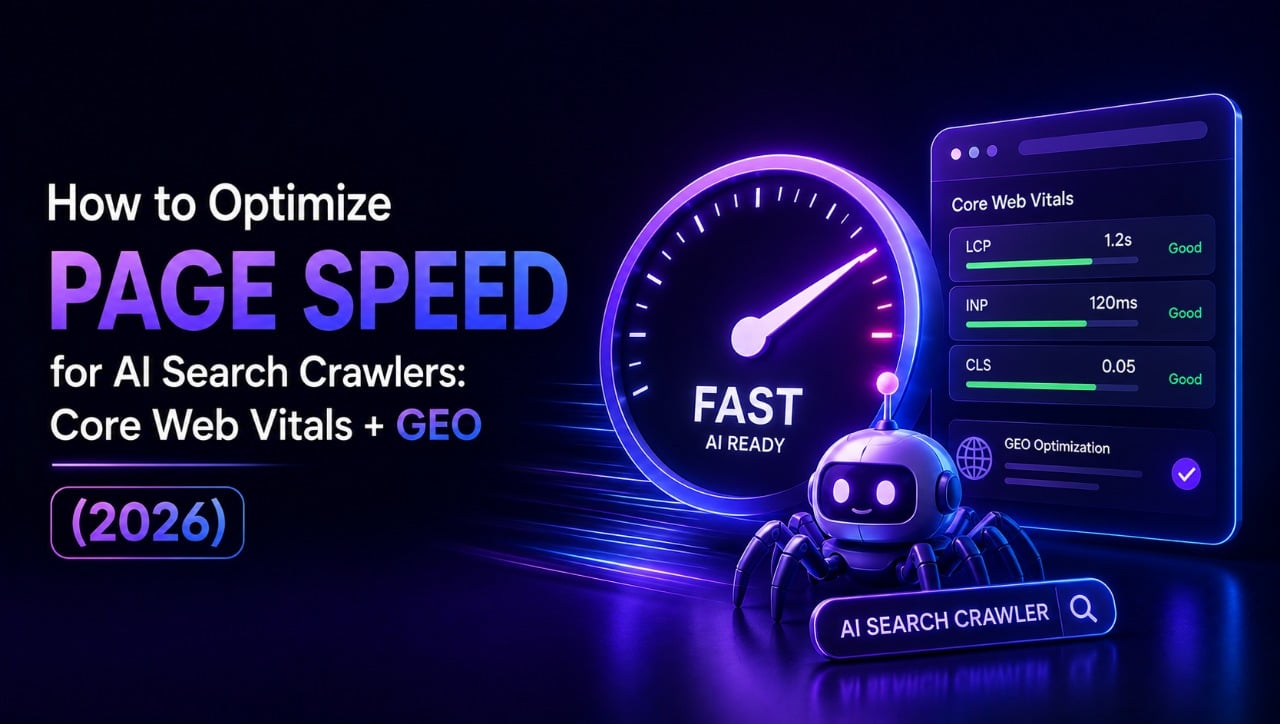
Core Web Vitals are Google’s three main user experience metrics: LCP (Largest Contentful Paint), CLS (Cumulative Layout Shift), and INP (Interaction to Next Paint, which replaced FID in 2024). Google uses these as direct ranking signals in traditional search.
For GEO and AI search, the relationship is indirect but real. Pages that perform well on Core Web Vitals tend to have the structural characteristics AI crawlers prefer: fast initial HTML delivery, content presented early in the page load, minimal render-blocking resources. Good Core Web Vitals scores are often a proxy for AI-crawler-friendly page architecture, even if that’s not how Google frames them.
Here’s how each metric connects to AI search:
| Metric | Google Threshold | AI Search Relevance |
|---|---|---|
| LCP Largest Contentful Paint |
Good: under 2.5s Poor: over 4s |
Most directly relevant — measures how quickly primary content is visible. Slow LCP usually means slow HTML delivery to crawlers. |
| CLS Cumulative Layout Shift |
Good: under 0.1 Poor: over 0.25 |
Indirectly relevant — high CLS often signals late-loading resources that could affect how completely a crawler reads the page. |
| INP Interaction to Next Paint |
Good: under 200ms Poor: over 500ms |
Low direct AI relevance — measures user interaction speed, which crawlers don’t experience. Matters for traditional rankings and UX. |
| TTFB Time to First Byte |
Good: under 800ms | High AI relevance (though not an official CWV) — how quickly the server delivers any HTML. The starting point for everything else. |
TTFB — Time to First Byte — isn’t technically a Core Web Vital, but I’ve included it because it’s the metric most directly tied to AI crawler efficiency. If your server takes 2 seconds just to start delivering HTML, everything else is starting from a bad position. Good TTFB (under 800ms, ideally under 400ms) means the crawler gets content quickly from the moment it requests your page.
LCP — The Most Important Metric for AI Crawlers
LCP measures how long it takes for the largest visible element on the page to render. Usually that’s a hero image, a large banner, or sometimes a large block of text. Whatever loads last and is largest by pixel area.
The reason LCP is the Core Web Vital most relevant to AI crawling is that it’s a reasonable proxy for “how quickly does this page make its content accessible?” A page with a fast LCP is generally a page that delivers content quickly. A page with a slow LCP is usually one where large images are blocking the load, scripts are blocking rendering, or the server is slow — all of which affect how completely AI crawlers can access page content.
The most common LCP problems, and their fixes:
Uncompressed hero images. The single most common cause of slow LCP on Indian B2B websites we audit. A hero image at 3MB loads slowly on any connection. Convert it to WebP format, compress it, and size it appropriately for its display dimensions. A 1280px wide hero image displayed at 800px doesn’t need to be 3840px wide. This one change alone can cut LCP by 1-2 seconds on most sites.
Missing preload for the hero image. Adding <link rel="preload" as="image" href="your-hero.webp"> to the page head tells the browser to start downloading the hero image as early as possible — before it encounters the image tag in the HTML body. This is a five-minute implementation that can meaningfully improve LCP.
Render-blocking scripts in the head. Any script tag in your HTML head without defer or async attributes blocks rendering until that script loads and executes. Audit your head section for third-party scripts — chat widgets, analytics, marketing pixels — and add defer to anything that isn’t critical for initial render.
Slow hosting or no CDN. If your server is in the US and your users are in India, every page load starts with a round-trip to the US. A CDN (Content Delivery Network) that caches your pages on edge servers in India dramatically reduces this latency. For Indian B2B sites, using a CDN with Indian edge locations is particularly important — Cloudflare’s free plan includes this and is sufficient for most small to medium B2B sites.
The Schema Connection — Don’t Break It When You Speed Up
This is the specific connection to the FAQ schema guide that I want to flag, because I’ve seen it happen more than once during site optimization projects.
When you’re optimizing page speed, you often end up changing how and when scripts load. Adding defer attributes, moving scripts to the footer, implementing lazy loading, consolidating JavaScript files. All legitimate optimizations. But if your JSON-LD schema markup is in a script tag that gets deferred, or gets moved by an optimization plugin, it may stop being read correctly by Google’s Rich Results Test — and by AI crawlers that rely on the structured data being available in the initial HTML.
The rule: JSON-LD schema markup should always be in a standard <script type="application/ld+json"> tag in the page’s <head> section, and it should never be deferred, async, or lazy-loaded. It’s a small text block — it loads instantly and doesn’t need optimization. Leave it in the head, static, unconditional.
After any round of page speed optimization, run Google’s Rich Results Test on your affected pages to confirm that your FAQPage schema, BlogPosting schema, and any other structured data is still being detected correctly. It takes five minutes and can save you weeks of puzzling over why AI citation rates dropped after a speed optimization sprint.
This is especially worth checking if you’re using a caching plugin or performance plugin in WordPress — WP Rocket, W3 Total Cache, and similar plugins sometimes interfere with how scripts in the head section are processed. Test after enabling any new performance plugin, not just after manual code changes.
Practical Fixes in Priority Order
If I had to prioritize a page speed audit for AI crawler performance specifically, here’s the sequence I’d follow. These are ordered by impact-to-effort ratio — the highest-return changes first.
First: check your TTFB. Use Google’s PageSpeed Insights (free) or Search Console’s Core Web Vitals report to see your current Time to First Byte. If it’s over 1 second, your hosting is likely the bottleneck. For Indian B2B sites, consider switching to a hosting provider with Indian data centers or implementing a CDN. This is a foundational fix that makes every other optimization more effective.
Second: compress and convert hero images to WebP. Every page that has a large image above the fold should have that image in WebP format and compressed to under 200KB for full-width images (under 100KB is better). Squoosh (a free Google tool) can do this without needing any technical setup. For WordPress, plugins like Smush or ShortPixel handle this automatically for all existing and future image uploads.
Third: add preload for your hero image. Simple head section addition, five minutes of work, meaningful LCP improvement. Worth doing on every important page regardless of other speed work.
Fourth: add defer to non-critical head scripts. Review what’s loading in your head section. Chat widgets, marketing pixels, non-essential analytics — these can all be deferred. Just don’t defer your JSON-LD schema or anything else that needs to be immediately available to crawlers.
Fifth: enable caching. A caching plugin that serves pre-built HTML files instead of dynamically building pages on every request dramatically reduces TTFB for returning visitors and crawlers. In WordPress, WP Rocket is the most reliable option. Cloudflare’s free plan also includes basic page caching that helps significantly.
Sixth: check JavaScript rendering for key content. The quick test: turn off JavaScript in your browser settings and reload your key pages. If your content disappears, your FAQ sections vanish, or the page is essentially empty — you have a rendering problem that needs to be addressed at the development level before other optimizations will have meaningful effect on AI crawler access.
A consistent pattern we see in AI SEO audits: pages with good content, proper FAQ schema from our FAQ schema guide, and solid E-E-A-T signals from the work described in the E-E-A-T guide — but citation rates lower than expected because a large unoptimized hero image or a render-blocking third-party script is preventing AI crawlers from reading the lower sections of the page. The content is right. The page just isn’t letting crawlers see it.
WordPress-Specific Speed Fixes
Most Indian B2B websites run on WordPress, so it’s worth covering the WordPress-specific implementation without making people go look it up elsewhere.
For most WordPress sites, the practical speed stack for AI crawler performance looks like this: a CDN with Indian edge locations (Cloudflare free plan covers this), a caching plugin (WP Rocket is worth the cost; W3 Total Cache is a free alternative), and an image optimization plugin that handles WebP conversion automatically (Smush free version is sufficient for most sites).
The one WordPress-specific warning I’d add: be careful with “aggressive” optimization settings in caching and performance plugins. Options like “delay JavaScript execution until user interaction” — which some performance plugins offer — can cause problems for AI crawlers similar to the JavaScript rendering issue described earlier. The crawler is not a user. It doesn’t interact with the page. Content that only loads after a user scrolls or clicks will never be seen by a crawler. Stick to optimization settings that improve load speed without making content conditional on user interaction.
Check your Core Web Vitals in Google Search Console after any significant plugin change — it reports field data from real users over the previous 28 days, which is more reliable than any lab test for understanding how your pages actually perform in real conditions.
Frequently Asked Questions on Page Speed and AI Search
Q1. How does page speed affect AI search crawler citations?
AI search crawlers — used by platforms like ChatGPT, Perplexity, and Google AI Overviews — have time budgets for processing each page. Slow pages that exceed that budget get partially crawled or skipped. Content that doesn’t get crawled doesn’t get cited. For Perplexity specifically, which does real-time retrieval on every query, page speed is a direct factor in whether your content makes it into the citation pool. FAQ sections at the bottom of slow pages are at particular risk of being missed entirely — which is why the FAQ writing and schema work from our FAQ schema guide needs to be combined with ensuring AI crawlers can actually reach that content.
Q2. What is LCP and why does it matter for GEO?
LCP — Largest Contentful Paint — is the time it takes for the largest visible element on the page to render. Google’s threshold for a good score is under 2.5 seconds. For GEO and AI crawler purposes, LCP matters because it’s a proxy for how quickly a crawler can access primary content. If your hero image or main heading takes 4 seconds to render, AI crawlers operating on tight time budgets may not wait. Optimizing LCP — by compressing hero images, preloading them, and eliminating render-blocking resources — directly improves how completely AI crawlers read your pages.
Q3. Does JavaScript blocking affect AI crawler access to content?
Yes — and it’s one of the most commonly missed issues in AI SEO audits. AI crawlers often read pages in their initial HTML state before JavaScript executes. Content rendered by JavaScript frameworks like React or Vue may not be visible to AI crawlers at all if it isn’t also in the server-rendered HTML. If your FAQ section or key content is loaded via JavaScript, it may be completely invisible to ChatGPT’s crawler and Perplexity’s retrieval system. Test by disabling JavaScript in your browser and reloading your key pages — what you see is roughly what AI crawlers see. If content disappears, you have a rendering problem to fix.
Q4. What Core Web Vitals thresholds should I target for AI SEO?
The same thresholds Google uses for traditional ranking: LCP under 2.5 seconds (aim for under 2), CLS under 0.1 (aim for under 0.05), and INP under 200 milliseconds. For AI crawler purposes, LCP and TTFB are the most critical. CLS and INP matter more for user experience and traditional ranking signals. Check current scores in Google Search Console under Core Web Vitals or run a PageSpeed Insights report — these give field data from real users, which is more reliable than lab measurements for understanding actual crawler conditions.
Q5. How do I check if schema markup is still accessible after speed optimization?
After any speed optimization that changes how scripts load — particularly if you’ve added defer attributes, moved scripts, or installed a performance plugin — run Google’s Rich Results Test on affected pages. It shows which schema types were detected and flags any errors. Speed optimizations sometimes inadvertently affect JSON-LD schema if script loading order changes. If the test shows fewer schema types than before the optimization, check that your schema script tags are still in the head section and haven’t been deferred. JSON-LD schema should always be a static, non-deferred script in the page head — it’s tiny and doesn’t need speed optimization.
Q6. What is crawl budget and how does it relate to AI search visibility?
Crawl budget is the processing capacity a crawler allocates to your site or page in a given time window. For AI search, it applies at the page level — each page gets an implicit time allocation during which the crawler extracts content. Slow pages spend most of that allocation loading resources rather than reading content. Pages that deliver clean, fast-loading HTML with content visible immediately allow the crawler to read more content per session — meaning more complete indexing of your FAQ answers, structured data, and key content. This is why good TTFB (under 800ms) is particularly important for AI search visibility.
Q7. Should I prioritize page speed or content quality for AI SEO?
Content quality comes first. A slow page with exceptional, well-structured content still earns some AI citations. A fast page with thin content earns none. But page speed becomes a tiebreaker once content quality is established — between two comparable pages, the faster one is indexed more completely and cited more reliably. The practical order: get content quality right first (FAQ schema, E-E-A-T signals, structured data — all covered in earlier guides in this series), then eliminate speed issues preventing AI crawlers from fully accessing that good content. Speed optimization is most valuable when it’s unlocking content that’s already worth citing.
Get a Complete Technical AI SEO Audit
We check page speed, schema implementation, crawlability, and content quality together — because all four affect your AI citation rates.
Get My Free AI SEO Audit → 📱 WhatsApp Our Team
🔒 Confidential · No spam · Audit in 24 hours · 8 slots per month
Tags: page speed AI crawlers, Core Web Vitals GEO, AI SEO page speed 2026, LCP optimization, page speed ChatGPT Perplexity, technical SEO AI search India, GEO technical optimization, AResourcePool
