


Offering
Solutions We Provide





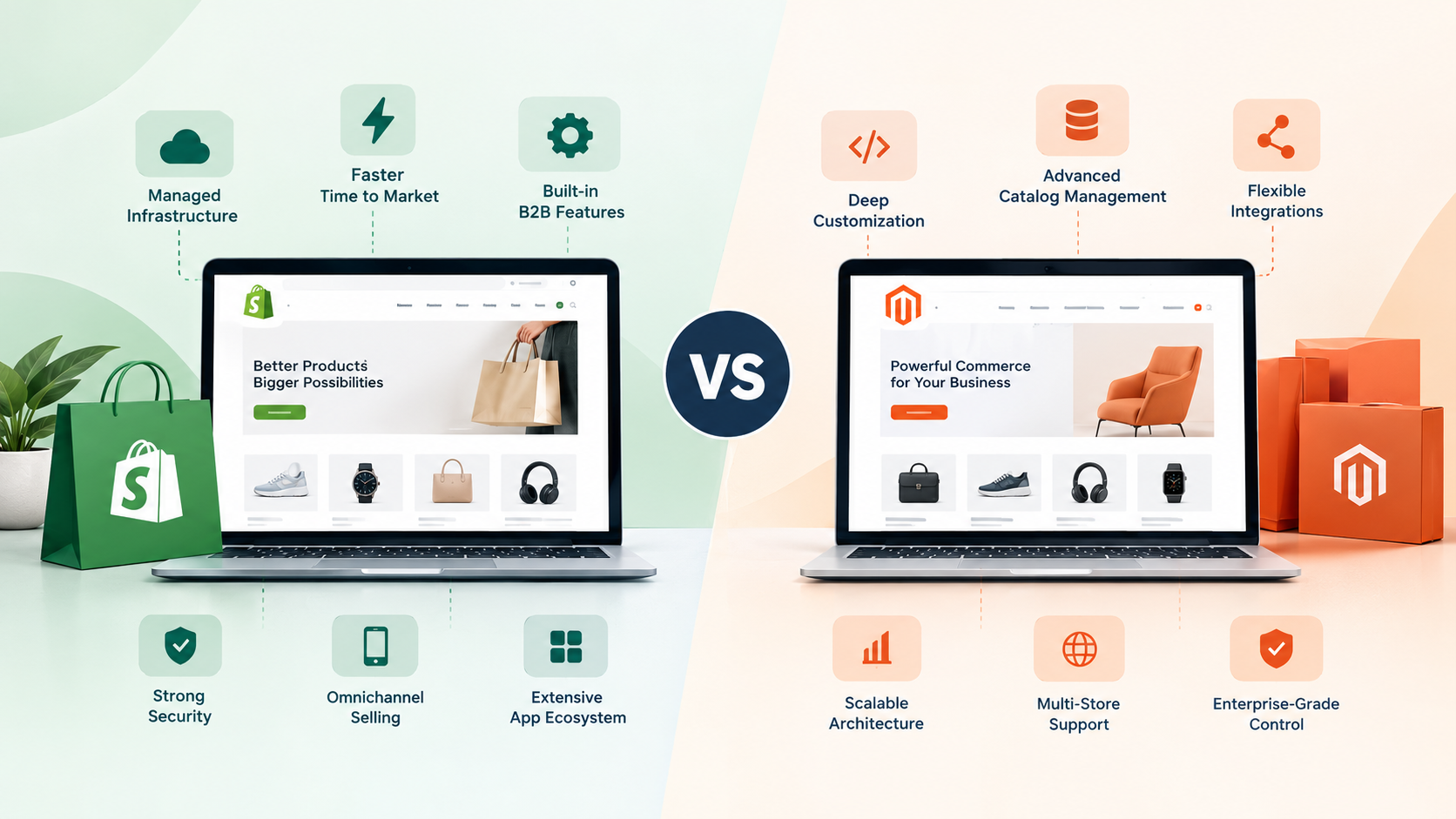

Choosing the right ecommerce platform is an important decision for businesses planning to expand their online presence. As product catalogs grow, customer expectations change, and operations become more complex, an ecommerce website needs to support more than basic product listings and checkout functionality. It must deliver reliable performance, efficient order management, flexible integrations, and a consistent shopping experience.
Two platforms frequently considered by established ecommerce businesses are Shopify Plus and Adobe Commerce, formerly known as Magento Commerce. Both support large online stores, but they take different approaches to customization, hosting, development, and ongoing maintenance.
Shopify Plus focuses on managed infrastructure, streamlined store management, and rapid implementation. Adobe Commerce offers extensive control over the ecommerce architecture, making it suitable for businesses with complex operational requirements and specialized workflows.
In this guide, we compare Shopify Plus vs Adobe Commerce (Magento) across features, pricing, customization, scalability, SEO, security, and maintenance to help you identify the right solution for your business.
What Is Shopify Plus?
Shopify Plus is Shopify’s enterprise-level ecommerce platform designed for high-growth brands and businesses managing complex online selling operations. It provides a hosted environment with built-in commerce functionality, centralized administration, and access to an extensive ecosystem of apps and integrations.
Businesses can manage products, inventory, orders, customer information, discounts, and sales channels through a unified dashboard. The platform also supports advanced checkout customization, B2B commerce capabilities, international selling, and headless commerce implementations.
One of Shopify Plus’s biggest advantages is that merchants do not need to manage the underlying server infrastructure themselves. Shopify handles core platform hosting, infrastructure updates, and many operational security responsibilities, allowing internal teams to focus more on sales, customer experience, and business growth.
However, advanced integrations and highly specialized workflows may still require custom development or third-party applications.
What Is Adobe Commerce (Magento)?
Adobe Commerce is an enterprise ecommerce platform built on Magento technology. It is designed for businesses that need extensive control over their online shopping experience, catalog structure, pricing rules, integrations, and backend processes.
Depending on the deployment model, Adobe Commerce can run on Adobe-managed cloud infrastructure or an appropriate self-managed environment. This flexibility gives businesses and development teams greater control over their technical architecture, although it also introduces additional infrastructure and maintenance responsibilities.
Adobe Commerce is particularly useful for businesses operating multiple brands, serving wholesale customers, managing complex product catalogs, or integrating ecommerce operations with enterprise resource planning (ERP), product information management (PIM), and customer relationship management (CRM) systems.
Its extensive customization capabilities are valuable when standard ecommerce features cannot fully support a company’s business model. However, implementation and maintenance can require experienced developers and careful technical planning.
Shopify Plus vs Adobe Commerce: Comparison Table
Here’s how the two platforms compare across key ecommerce features.
| Comparison Factor | Shopify Plus | Adobe Commerce (Magento) |
|---|---|---|
| Platform Model | Hosted SaaS platform | Cloud-hosted or self-managed deployment |
| Ease of Management | Generally easier to manage | Requires more technical oversight |
| Customization | Themes, apps, APIs, and extensions | Extensive code-level customization |
| Hosting | Hosting managed by Shopify | Depends on the deployment model |
| Initial Implementation | Often faster to launch | May take longer for complex projects |
| Infrastructure Maintenance | Core infrastructure primarily managed by Shopify | Depends on hosting and implementation |
| Enterprise Integrations | APIs and third-party integrations | APIs, extensions, and custom integrations |
| B2B Commerce | Enterprise B2B capabilities | B2B features with extensive customization options |
| Multi-Store Operations | Expansion stores and centralized management tools | Flexible multi-store architecture |
| SEO | Built-in SEO features | Flexible SEO customization with technical expertise |
| Development Requirements | Varies from moderate to advanced | Often higher for heavily customized projects |
| Pricing Structure | Subscription and additional operating costs | Licensing, infrastructure, development, and maintenance costs |
The better platform depends on the complexity of your operations, available development resources, and long-term ecommerce strategy.
1. Ease of Use and Store Management
Shopify Plus is generally easier to manage for teams that want to operate an enterprise store without handling infrastructure administration. Its dashboard allows authorized users to manage products, collections, orders, discounts, and customer information without regularly working with code.
Merchants can extend functionality through applications and platform APIs. This makes Shopify Plus attractive to marketing teams, ecommerce managers, and businesses that prioritize operational simplicity.
Adobe Commerce provides extensive administrative functionality, but managing a customized implementation can be more demanding. Product attributes, catalog rules, store views, customer groups, and pricing structures can be configured to support sophisticated business requirements.
However, the experience depends heavily on how the website has been developed. Poorly planned customization can make routine tasks unnecessarily complicated.
Winner: Shopify Plus for ease of management. Adobe Commerce is worth considering when advanced catalog and operational controls justify the additional complexity.
2. Customization and Development Flexibility
Customization is one of the most important differences between these platforms.
Shopify Plus supports theme customization, app integrations, APIs, custom applications, and checkout extensions. Businesses can create distinctive storefronts and integrate external systems while relying on Shopify to manage much of the underlying infrastructure.
However, developers must work within Shopify’s platform architecture and supported extension mechanisms. Some business requirements may need alternative workflows or additional applications rather than unrestricted changes to the platform’s core functionality.
Adobe Commerce offers deeper access to the application’s architecture and allows developers to build customized modules, pricing logic, product structures, and business processes. This can be particularly useful for manufacturers, distributors, and organizations with specialized purchasing requirements.
The trade-off is that greater flexibility creates additional responsibilities. Custom modules need testing, documentation, compatibility checks, and maintenance as the platform and connected systems evolve.
Businesses that need specialized ecommerce functionality should evaluate their requirements before selecting a platform. Companies considering Shopify can explore AresourcePool’s Shopify developer hiring services to assess custom storefront development, integrations, and ongoing technical support.
Winner: Adobe Commerce for deep architectural customization; Shopify Plus for managed flexibility with less infrastructure overhead.
3. Pricing and Total Cost of Ownership
Comparing Shopify Plus vs Adobe Commerce pricing requires looking beyond the advertised platform fee.
Shopify Plus uses a subscription-based pricing model. Shopify’s official pricing information lists standard pricing in India starting at ₹1,75,000 per month for a three-year term or ₹1,90,000 per month for a one-year term, subject to eligibility, pricing changes, and business-specific terms. More complex businesses may have variable platform fees.
Additional expenses can include custom development, paid apps, premium themes, payment processing, migration, and specialized integrations. These costs should be evaluated alongside the subscription rather than treated as unexpected extras. See the official Shopify Plus pricing page for current terms.
Adobe Commerce pricing depends on the edition, deployment model, licensing or subscription arrangement, infrastructure, and implementation scope. Businesses should obtain a tailored quote rather than assume that the software itself represents the entire cost.
Additional budget items may include:
- Hosting and infrastructure management
- Initial development and website design
- Custom modules and third-party extensions
- Security monitoring and software updates
- Performance optimization and testing
- Integration development and ongoing technical support
A highly customized Adobe Commerce project can require a substantial initial investment. However, the financial outcome depends on the business model, existing infrastructure, and operational benefits delivered by the implementation.
Winner: Neither platform is universally cheaper. Shopify Plus offers more predictable core platform costs, while Adobe Commerce requires a broader assessment of licensing, hosting, development, and maintenance.
4. Scalability and Website Performance
Both platforms can support growing ecommerce operations, but their approaches to scalability differ.
Shopify Plus provides managed infrastructure designed to support high-volume commerce. Businesses can benefit from platform-level performance management without independently scaling their core hosting environment. This can reduce the operational workload during seasonal campaigns, product launches, and promotional events.
Nevertheless, storefront design, third-party scripts, app quality, and integration architecture still affect performance. A managed platform does not automatically make every store fast.
Adobe Commerce can be scaled through appropriate infrastructure, caching, indexing, database optimization, content delivery networks, and application architecture. This allows technical teams to tailor performance strategies to demanding business requirements.
The challenge is that performance depends on implementation quality. Inefficient extensions, poorly optimized queries, inadequate caching, or insufficient infrastructure planning can affect customer experience during traffic spikes.
Businesses should conduct load testing and establish performance monitoring before major campaigns.
Winner: Shopify Plus for reducing infrastructure management. Adobe Commerce is a strong option when a business needs more direct control over performance architecture and has the expertise to manage it.
5. SEO and Digital Marketing Capabilities
Both Shopify Plus and Adobe Commerce can support effective ecommerce SEO strategies. Neither platform guarantees better rankings simply because a business uses it.
Shopify Plus provides standard SEO features, including editable page titles and meta descriptions, canonical URLs, XML sitemaps, and structured URL conventions. Its managed environment can simplify technical maintenance, although certain URL patterns and platform behaviors require consideration during SEO planning.
Adobe Commerce offers configurable metadata, URL rewrites, product and category optimization, and opportunities for advanced technical SEO customization. Developers can tailor the implementation to complex catalog structures, but they must also manage issues such as duplicate content, crawl efficiency, indexing, and page performance.
For both platforms, businesses should focus on:
- Unique product and category descriptions
- Logical internal linking
- Optimized product images and descriptive alt text
- Mobile usability and Core Web Vitals
- Appropriate canonical tags and redirects
- Relevant product structured data
- Search-friendly navigation and faceted filtering
Digital marketing also requires more than technical optimization. Content strategy, paid campaigns, conversion tracking, and landing-page testing help businesses attract and convert qualified visitors.
For additional marketing strategy insights, explore AresourcePool’s guide to the top digital marketing companies.
Winner: Both can perform well in search. Adobe Commerce provides more implementation-level control, while Shopify Plus can simplify technical operations for teams that prefer a managed platform.
6. Security, Updates, and Maintenance
Security should be a central consideration when selecting an enterprise ecommerce platform because online stores handle customer information, payments, and order data.
Shopify Plus manages core infrastructure and platform-level security responsibilities. This reduces the merchant’s workload for server maintenance and underlying platform updates. However, businesses remain responsible for appropriate staff permissions, secure account practices, third-party app selection, privacy obligations, and their own integration code.
Adobe Commerce requires a more deployment-specific approach. With self-managed infrastructure, the business and its technical partners must manage relevant server security, patching, access controls, backups, monitoring, and disaster recovery. Adobe-managed cloud deployments can shift some infrastructure responsibilities to the provider, but application-level security and implementation quality remain important.
Regular maintenance should include dependency reviews, access audits, backup testing, vulnerability monitoring, and staging-based update procedures.
Businesses should also establish a clear process for responding to suspicious activity, failed integrations, and unexpected changes to their ecommerce environment.
Winner: Shopify Plus for lower infrastructure maintenance responsibilities. Adobe Commerce is suitable for businesses prepared to manage a more involved technical environment.
7. B2B and Multi-Store Ecommerce
Enterprise ecommerce often involves more than selling individual products to consumers. Businesses may need wholesale catalogs, customer-specific pricing, purchasing permissions, separate brands, regional storefronts, and account-based ordering.
Shopify Plus offers B2B functionality alongside tools for managing international commerce and expansion stores. This can help businesses operate wholesale and direct-to-consumer channels within a more unified ecosystem.
Adobe Commerce provides flexible multi-store capabilities and can support complex catalog relationships, customer groups, pricing rules, and tailored purchasing experiences. Its architecture can be advantageous when different brands or regions require substantially different storefront behavior.
However, implementing these features requires careful decisions about catalog synchronization, customer data, inventory, localization, and integration ownership.
Winner: Shopify Plus for streamlined management of many standard B2B and omnichannel scenarios. Adobe Commerce may be preferable for highly specialized multi-brand or catalog requirements.
8. Integrations and Business Automation
Ecommerce platforms rarely operate in isolation. An established business may need connections with accounting software, warehouse management systems, shipping providers, CRM tools, ERP platforms, marketing automation software, and customer support applications.
Shopify Plus supports integrations through its app ecosystem, APIs, and custom applications. Standard integrations can often be implemented relatively quickly, although complex workflows may require middleware or bespoke development.
Adobe Commerce offers APIs, extensions, and custom integration options for businesses with sophisticated backend systems. This can provide greater control over data flows and business rules, but integration architecture needs ongoing monitoring and maintenance.
Before selecting a platform, document the systems your business already uses and determine which data must move between them. Identify synchronization frequency, error-handling requirements, ownership of customer records, and the impact of integration failures.
Winner: Shopify Plus for many standard integrations and quicker deployment; Adobe Commerce for scenarios requiring deeper architectural control.
9. Which Platform Is Better for Different Business Types?
The right decision becomes clearer when the platforms are evaluated against real business requirements.
Choose Shopify Plus if:
- You want a managed ecommerce platform with less server administration.
- Your business needs to launch or expand quickly.
- Your team prefers a centralized dashboard for routine store operations.
- Your requirements can be met through supported customization, APIs, and applications.
- You want to combine online sales with retail, international, or B2B channels.
Choose Adobe Commerce if:
- Your store requires complex pricing or product relationships.
- You need extensive control over the application’s architecture.
- Your organization operates sophisticated multi-store or multi-brand environments.
- Your business depends on highly customized ERP, PIM, or other enterprise integrations.
- You have the technical team or development partner required for ongoing maintenance.
Businesses should avoid choosing a platform only because a competitor uses it. The better approach is to identify required features, assess operational complexity, and estimate long-term ownership costs.
For broader planning around website development partners, you can also review AresourcePool’s guide to web development companies in India.
10. Migration: Moving from One Platform to Another
Migrating from Adobe Commerce to Shopify Plus, or the other way around, requires more than transferring product information.
A successful migration should account for product catalogs, customer accounts, order histories, images, category structures, discounts, shipping rules, payment workflows, and third-party integrations. Some information may need transformation because the platforms organize data differently.
SEO migration is equally important. Existing URLs should be mapped to their new destinations, relevant redirects implemented, canonical tags reviewed, and XML sitemaps checked. Analytics and conversion tracking should be tested before launch.
A practical migration process includes:
- Audit the current website, integrations, and business workflows.
- Document essential features and identify functionality that needs rebuilding.
- Clean and map product, customer, and order data.
- Develop the new store and configure required integrations.
- Test checkout, payments, shipping, mobile usability, and performance.
- Validate redirects, analytics, indexing settings, and structured data.
- Launch with monitoring and a defined rollback or issue-resolution plan.
Migration timelines depend on catalog size, custom functionality, data quality, and integration complexity. Businesses should avoid rushing the process simply to meet a launch date.
11. How to Make the Final Decision
Before committing to either platform, create a requirements checklist and score each solution against your most important business needs.
Consider these questions:
- What annual platform, development, and maintenance budget can you support?
- How much customization does your business genuinely require?
- Will your internal team be able to manage the platform effectively?
- Which integrations are essential for daily operations?
- How complex are your wholesale, international, and multi-brand requirements?
- What are your expected traffic levels and growth targets?
- How important is direct control over the technical architecture?
For businesses that need a new website rather than an enterprise ecommerce system, a simpler solution may also be appropriate. WordPress and WooCommerce can provide flexibility for content-led businesses and many online stores without requiring an enterprise commerce subscription.
If you are evaluating a WordPress-based project, AresourcePool’s WordPress developer hiring services can help you explore development support for custom websites, integrations, and maintenance.
Similarly, businesses comparing development budgets across ecommerce solutions may find the WooCommerce website development cost guide useful for understanding the factors that influence implementation expenses. Remember that WooCommerce cost estimates should not be treated as direct price equivalents for Shopify Plus or Adobe Commerce.
For additional context on evaluating providers and project capabilities, see AresourcePool’s overview of top website designing companies in India.
Conclusion
Shopify Plus and Adobe Commerce (Magento) are both capable enterprise ecommerce solutions, but they are designed around different priorities.
Shopify Plus is a strong option for businesses seeking managed infrastructure, streamlined operations, integrated commerce capabilities, and a relatively straightforward path to scaling. Adobe Commerce is well suited to organizations that need extensive technical customization, sophisticated catalog management, and greater control over complex ecommerce workflows.
The final choice should be based on your operational needs, development resources, integration requirements, and projected total cost of ownership. A platform that works well for a rapidly growing direct-to-consumer brand may not be the best fit for a distributor managing complex wholesale pricing across multiple regions.
At AresourcePool, businesses can explore development resources and ecommerce solutions based on their technical and commercial goals. Start by defining your essential requirements, comparing realistic implementation budgets, and selecting the platform that can support your business as it grows.
